GPS Tracking
Locate vehicles and assets on a map. Review trip history to check routes, stops, and events during vehicle operations.
Discuss GPS tracking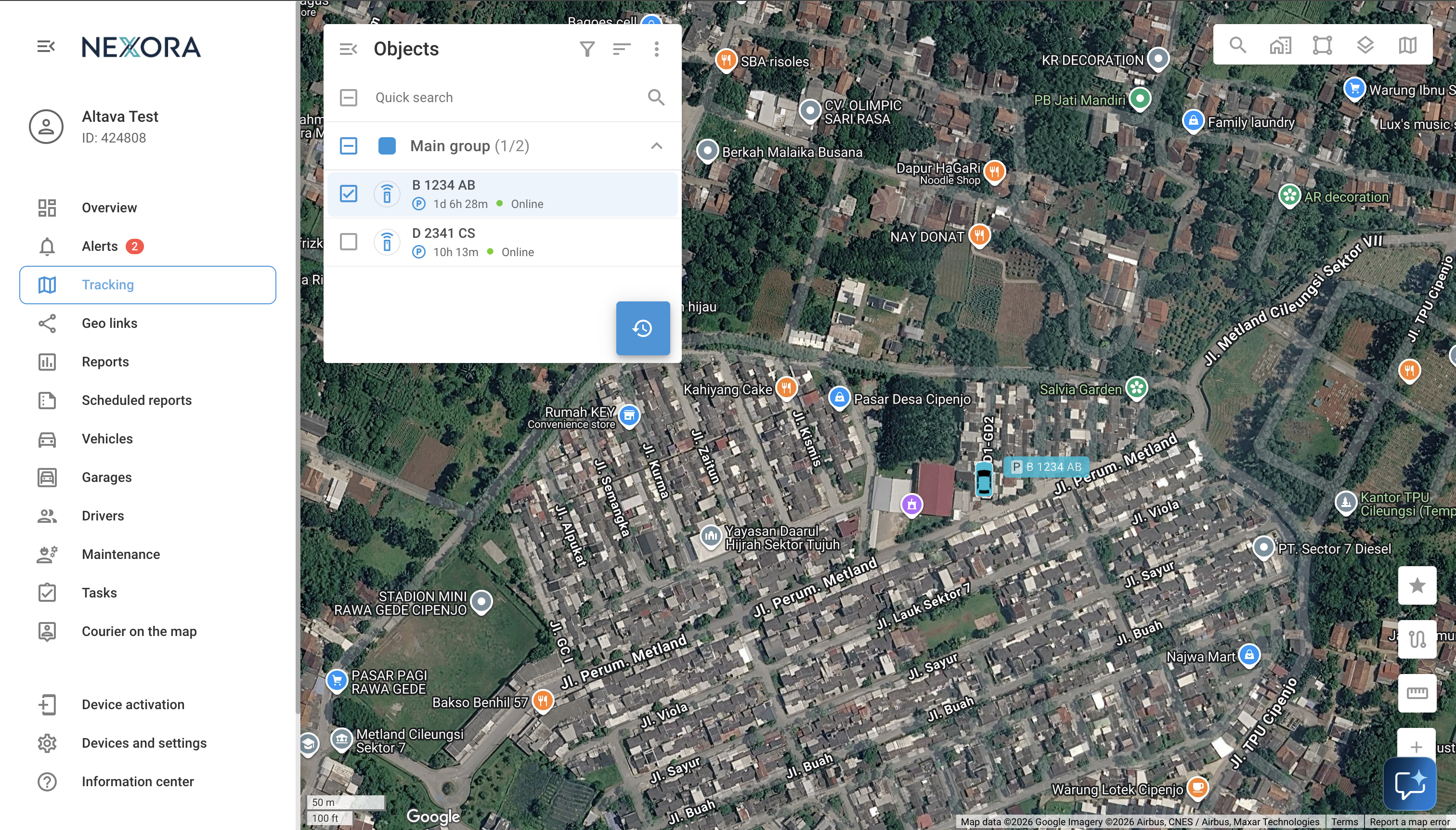
Live GPS Tracking
Vehicle and asset locations are updated at sub-minute intervals. View connection status, speed, and direction of travel on the map.
- Vehicle Location
- The latest location reported by the tracking device.
- Connection Status
- Device connectivity information during monitoring.
- Speed And Direction
- Movement data to help review each trip.
Trip History And Track Player
Select a time range to review historical routes. The track player replays trips with stopping points, parking durations, and a timeline of events.
Geofencing And POI
Mark depots, customer locations, and other places of interest as POIs. Create polygon, circular, or route-corridor boundaries to trigger notifications when vehicles enter or leave an area.
Geo Links
Share temporary tracking links with customers or logistics partners. Recipients can view the location of a specific shipment without receiving login access to the main system.
Maps And GIS
Use integrated map providers, custom layers, and 2D/3D mapping. Traffic and weather information can be displayed alongside vehicle tracking.